

Documentation section
How to Import Product Categories (Shopify Standard Taxonomy)
Product Category is the standard category of a product defined by Shopify's Standard Product Taxonomy. Every product in your store can be assigned to a specific category from this taxonomy.
Step 1: Prepare Your File
To import product categories, your file must contain a column with the Product Category ID values:
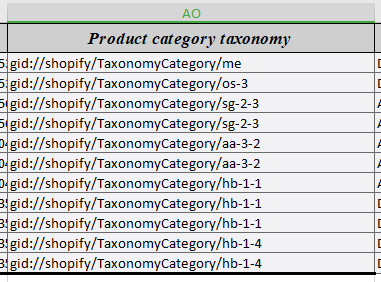
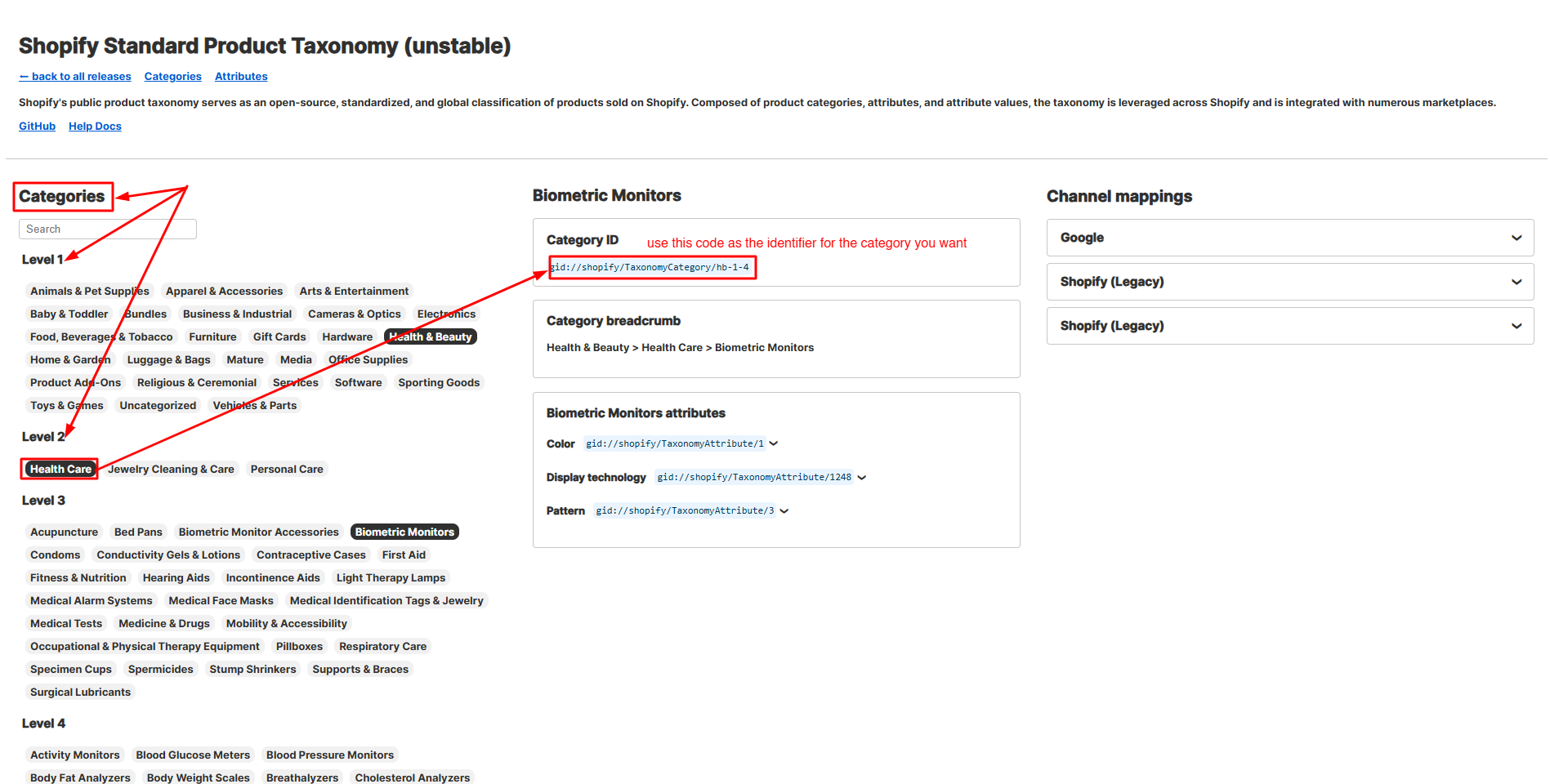
You can find the correct category code by browsing Shopify’s taxonomy. For example, select your desired category from the list to get its code:
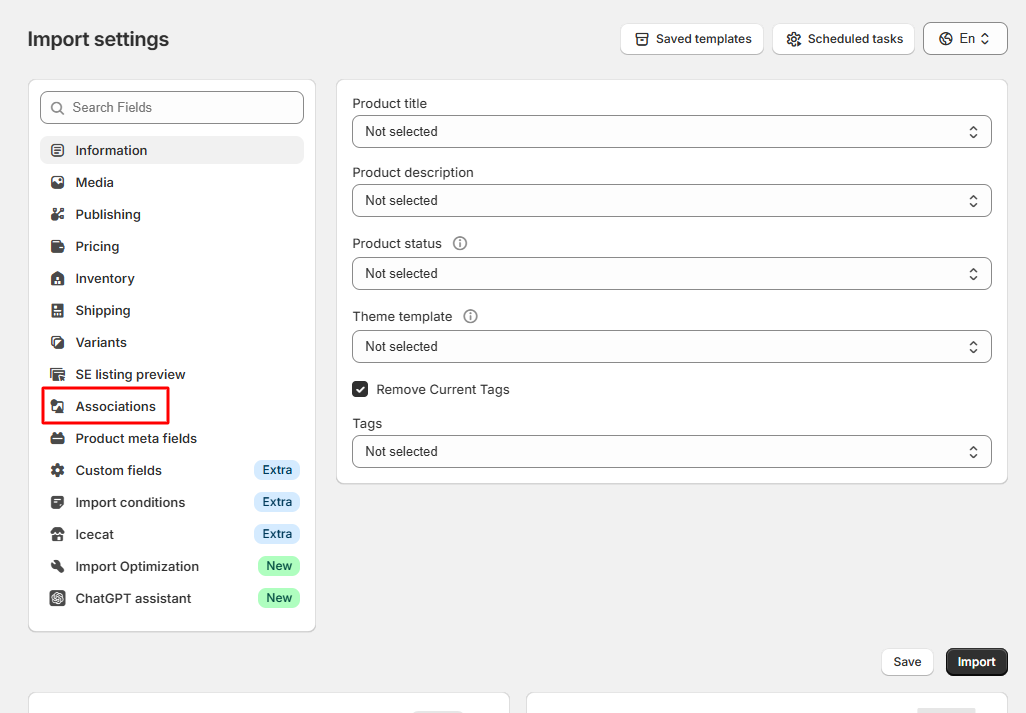
Step 2: Go to Associations Tab
Once your file is ready, navigate to the Associations tab in the import process:
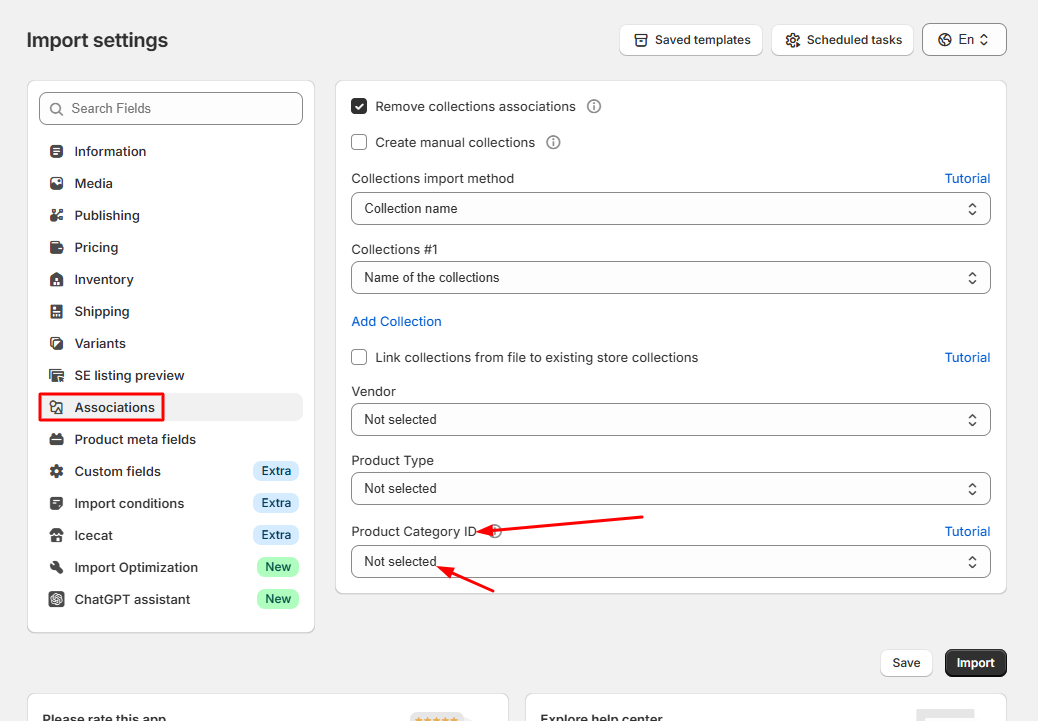
Step 3: Map Product Category ID
In the Product Category ID option, select the column in your file that contains the taxonomy category IDs:
Tips
- Always use the official codes from Shopify’s taxonomy, not free text.
- Check for the correct subcategory to make your product listings more accurate.
- Using the right categories improves SEO and search filtering in your Shopify store.
Table of contents
- How to Import Product Variants
- How to Map Collections During Import
- Import Files by Dynamic URL Pattern
- Import Files from FTP with Dynamic File Names
- How to Import Product Translations
- Import Products from Google Sheets
- Error during sync locations - need to update access scopes
- Import Optimization – Control New & Existing Product Updates
- Generate Variants from Option Values
- Import Products from Icecat Catalog
- Import Conditions – Control How Products Are Imported
- Import Product and Variant Metafields
- How to Import Collections
- How to Import Product Categories (Shopify Standard Taxonomy)
