

Sync Master can import product data directly from the Icecat catalog.
What is Icecat?
Open Icecat is a unique worldwide catalog with product data sheets, created in cooperation with high-tech sponsoring brands and online channel partners. Open Icecat data sheets are fully approved by sponsoring manufacturers and are distributed for free to online retailers.
Free vs Paid Icecat Access
- Free version – you can import basic product data without registration, App Key, or Content Key.
- Paid version – gives access to the full catalog with extended product data and more detailed information.
Note: If you use the paid version, you must whitelist our Sync Master app IP address in your Icecat account:
Sync Master IP address: 65.109.19.16
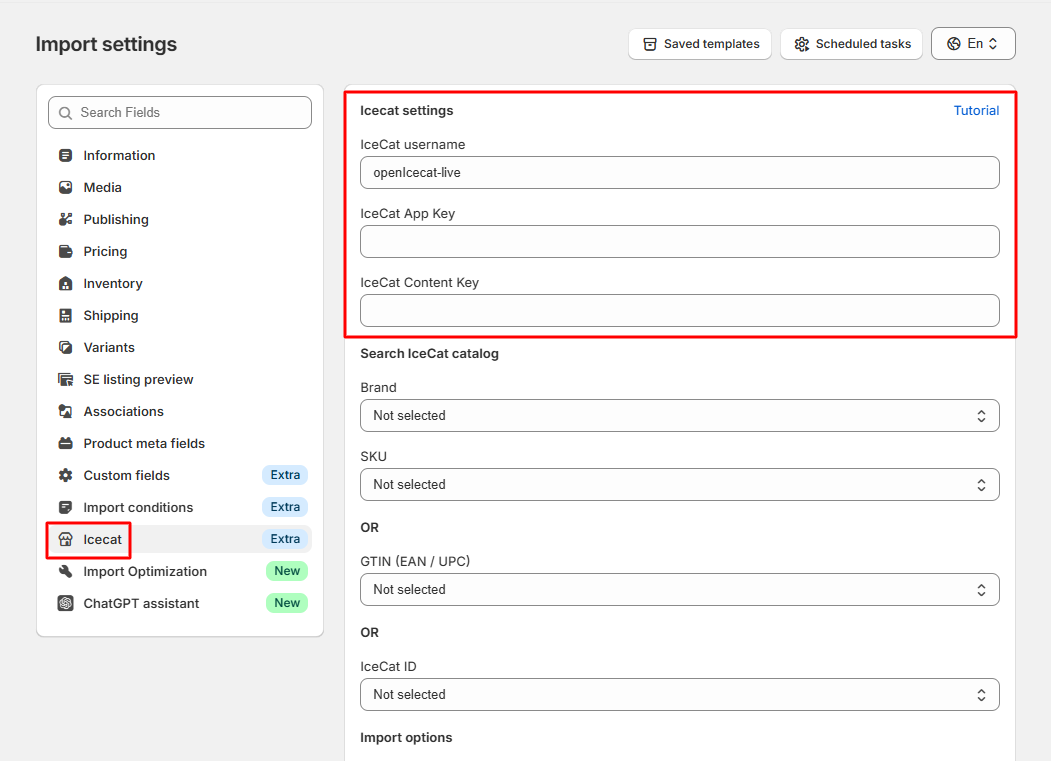
Step 1: Choose Identifiers
To import product data from Icecat, you can use the following identifiers:
- Icecat ID
- Brand
- SKU
- GTIN (EAN/UPC)
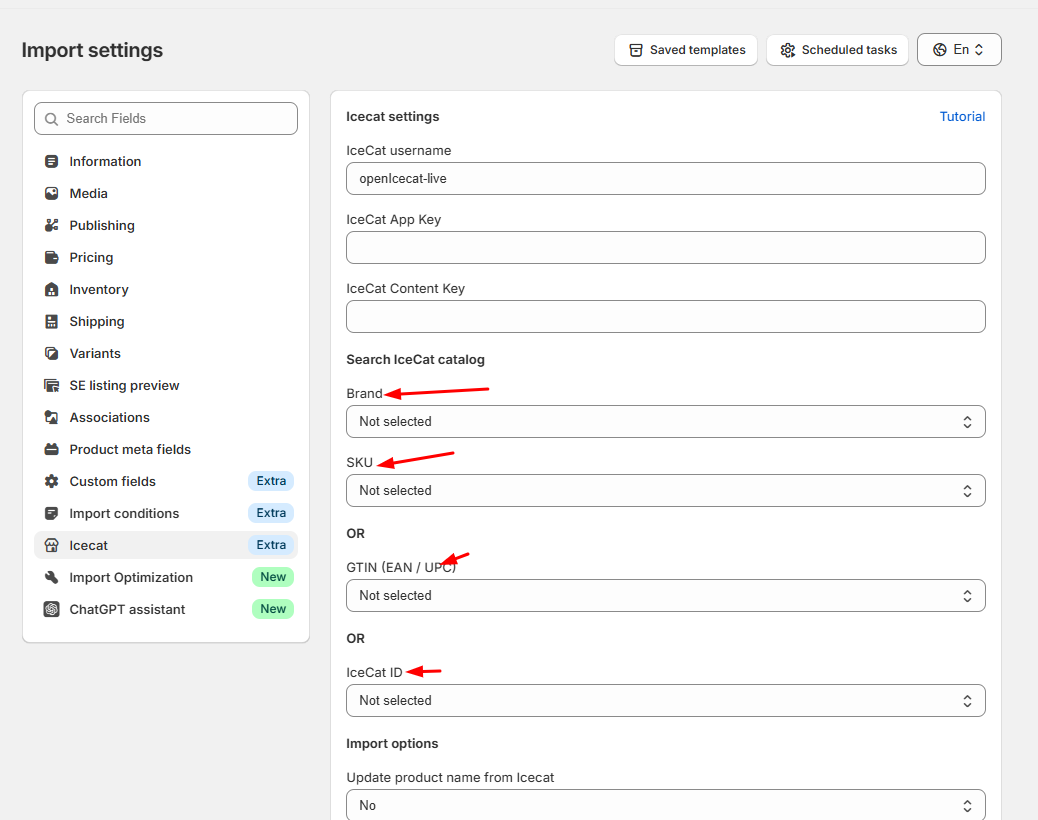
Step 2: Configure Product Data Updates
Next, select which product data fields you want to update from the Icecat catalog. You can choose fields such as:
- Product title
- Description
- Specifications
- Images
- Other attributes provided by Icecat
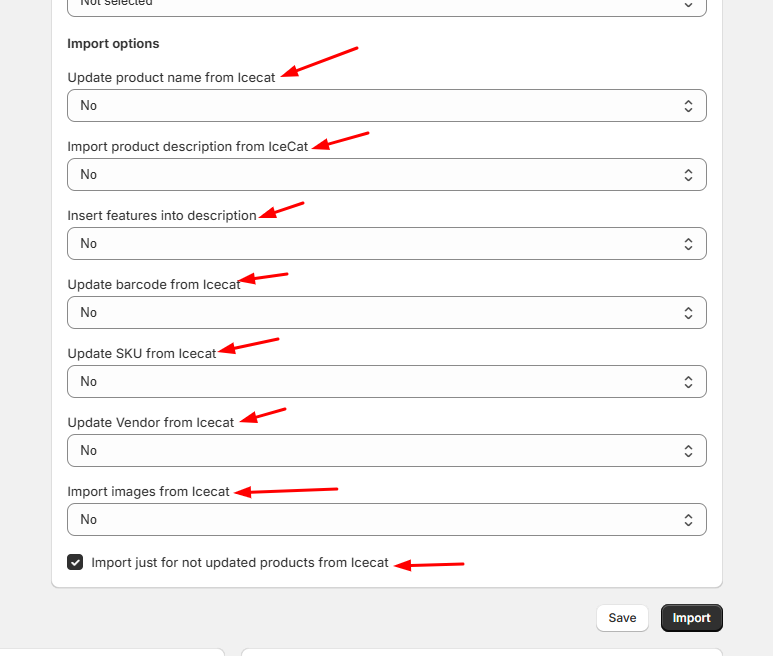
Step 3: Import Products
Once your identifiers and update settings are configured, start the import. The app will fetch product data directly from the Icecat catalog and enrich your Shopify store products.
- How to Import Product Variants
- How to Map Collections During Import
- Import Files by Dynamic URL Pattern
- Import Files from FTP with Dynamic File Names
- How to Import Product Translations
- Import Products from Google Sheets
- Error during sync locations - need to update access scopes
- Import Optimization – Control New & Existing Product Updates
- Generate Variants from Option Values
- Import Products from Icecat Catalog
- Import Conditions – Control How Products Are Imported
- Import Product and Variant Metafields
- How to Import Collections
- How to Import Product Categories (Shopify Standard Taxonomy)
