

How to Combine Fields During Import Using Custom Fields
The Products Sync Master app allows you to concatenate fields from your import file or add custom text to any field during the import process.
This feature is useful if you want to enrich product titles, descriptions, or other attributes by merging multiple values from your file into one field.
Example: Combine Product Name and Category
Suppose your file contains two columns:
- Product name
- Main Category
If you want to import your product title as a combination of both, for example: “T-Shirt – Summer Collection”, you can create a custom field that merges these values automatically.
Step 1: Create a Custom Field with a String Formula
Go to the Custom Fields tab and create a new field with the type Formula → String. Use the following formula syntax:
[Product name] [Main Category]
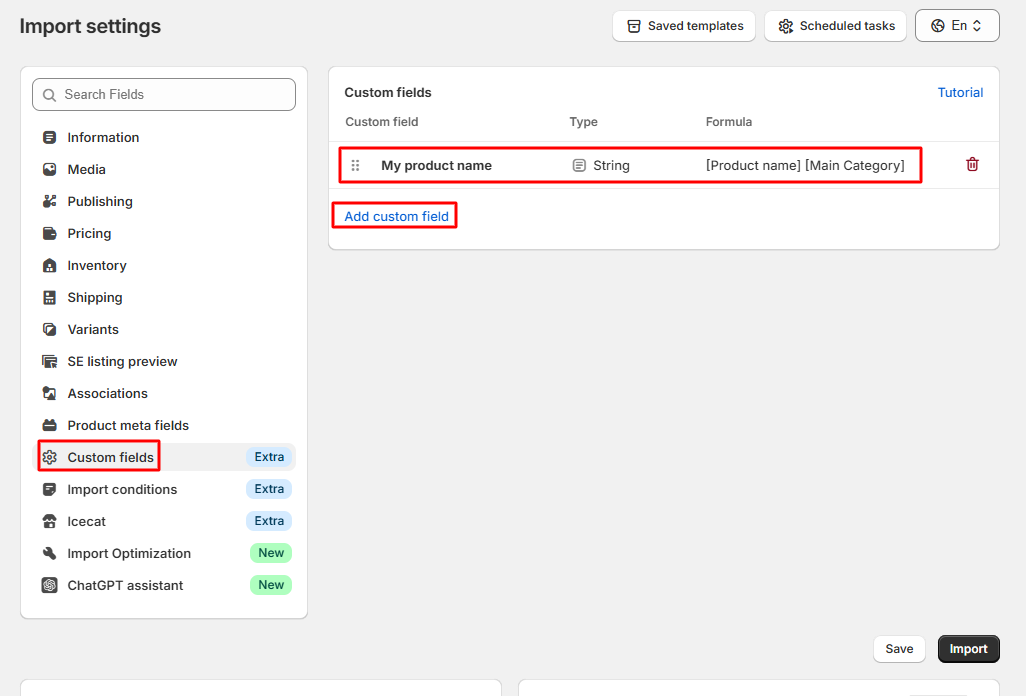
Step 2: Assign the Custom Field to Product Title
After saving your formula, select the created custom field for the product title during import:
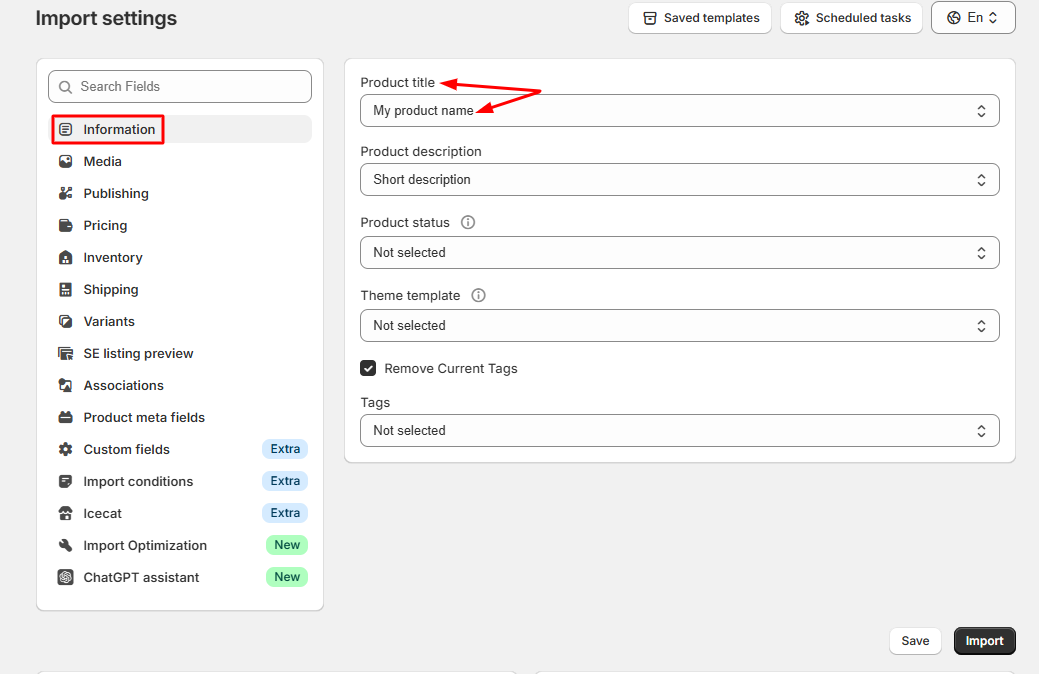
That’s it — during import, Sync Master will automatically merge your product name and category name into a single field.
- How to Adjust Product Prices During Import Using Custom Fields
- How to Combine Product Fields During Import Using Custom Fields
- How to Add Text or URL Paths to Fields During Import
- How to Find and Replace Text in Fields During Import
- How to Round Product Prices During Import
- How to Truncate or Add a Suffix to Field Values During Import
- How to Use the TMP Value Formula to Fill Missing Field Values
- How to Skip Specific Products During Import
