

Using the Custom Fields feature you can create custom fields with specific values.
We added a new feature Formula Type. Using this feature you can create a field with the value that can include:
- Simple string;
- Mathematical formula;
- Search and replace some text in your field during import.
String type means that your custom field will have value like it is. It can be some additional fields with static data that you need to import.
Mathematical formula means that you can perform some mathematical calculations.
For example, you need to import product prices from your file and increase the price by 20% in your store.
For this, you need to create your custom field price with the such formula by click on the «Add custom field» button»:
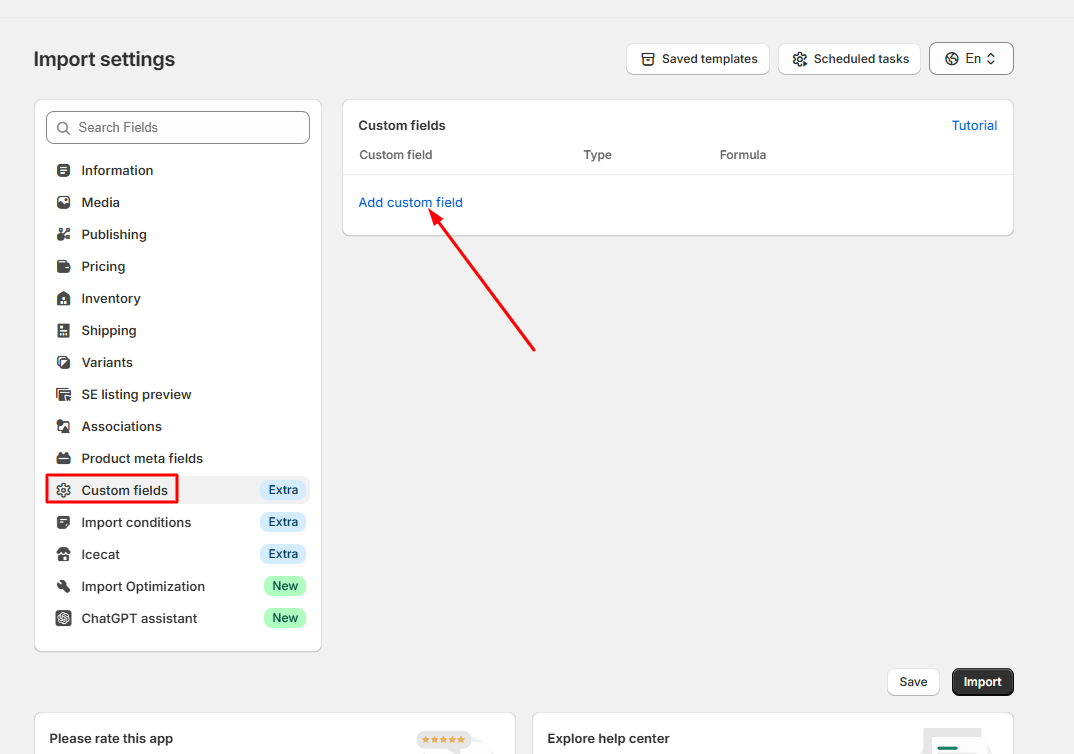
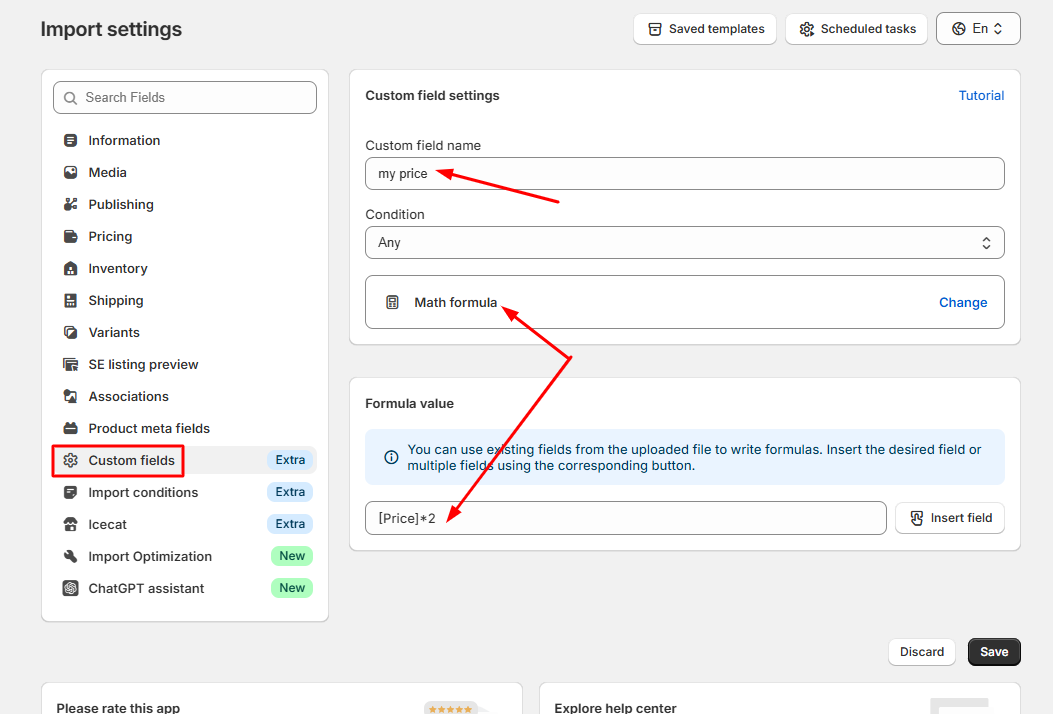
In our case, the field "Price" is a field with a price in our file.
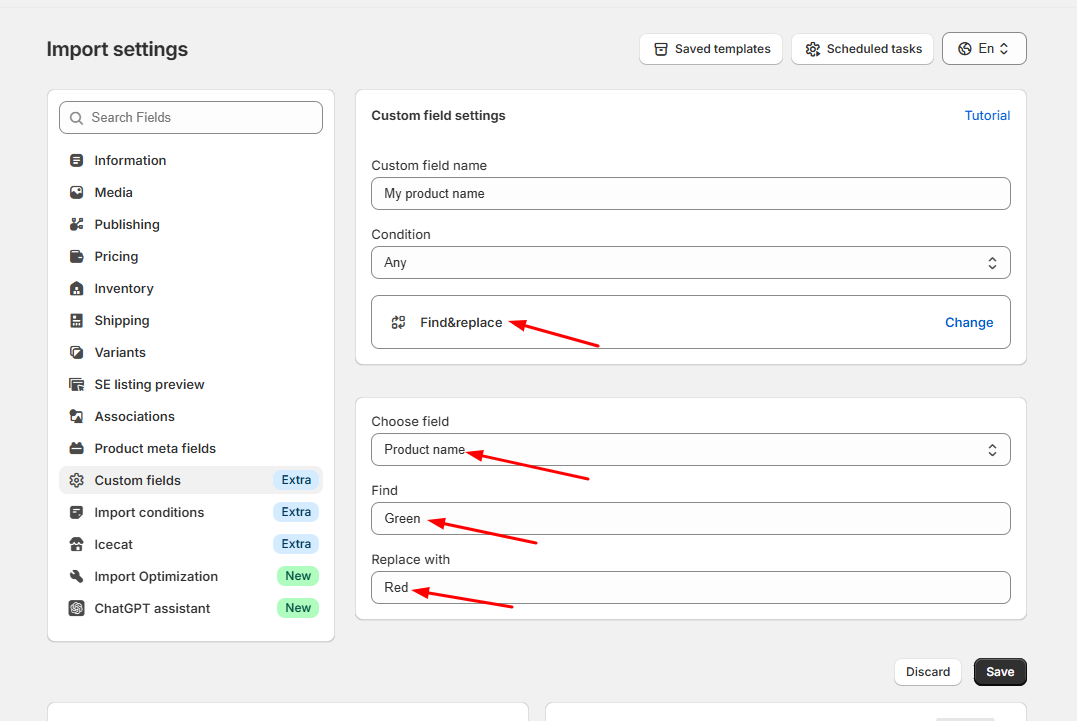
Find & Replace type means that you need to find some text in the import field and replace it with another text.
For example, we need to field in the field "Product name" text "Green" and replace it with "Red".
Find & Replace formula has such structure: [your_field_name] => TEXT_FOR_SEARCH => TEXT_FOR_REPLACE
So in our example formula will be so:
- How to Adjust Product Prices During Import Using Custom Fields
- How to Combine Product Fields During Import Using Custom Fields
- How to Add Text or URL Paths to Fields During Import
- How to Find and Replace Text in Fields During Import
- How to Round Product Prices During Import
- How to Truncate or Add a Suffix to Field Values During Import
- How to Use the TMP Value Formula to Fill Missing Field Values
- How to Skip Specific Products During Import
