
ALT texts (alternative texts) are short descriptions added to images. In Shopify, they serve several important purposes:
1. ALT texts help search engines understand what an image shows, since Google and others can't "see" images — they read the ALT text
Benefits:
Improves visibility in Google Images.
Contributes to overall product page SEO.
Can include keywords to boost search rankings.
2. Accessibility. ALT texts are read by screen readers for people who are visually impaired. This ensures your store is more inclusive and compliant with accessibility standards (like WCAG).
3. Image Fallback. If an image fails to load due to poor internet or browser issues, the ALT text is displayed instead.
In Shopify specifically, ALT texts can be added to product images in the Product Editor or via CSV import/API. They don’t appear directly on the product page but are used in the image’s HTML code. They enhance searchability and accessibility without extra design work.
AI-Generated ALT Texts — A Smart Feature:
If you auto-generate ALT texts, it can save time and improve SEO. Using product data (like title, color, material, type), you can generate smart, descriptive ALT texts.
Example:
Input: Product title: "Men’s NorthWind Winter Jacket", Color: "Navy Blue"
Generated ALT: "Navy blue men’s winter jacket NorthWind with hood – front view"
Let's try to generate image ALT-text during product import. Imagine we have an XLS file without alt-text for images.
Complete the first import step, upload your file, and select a Key for product identification.
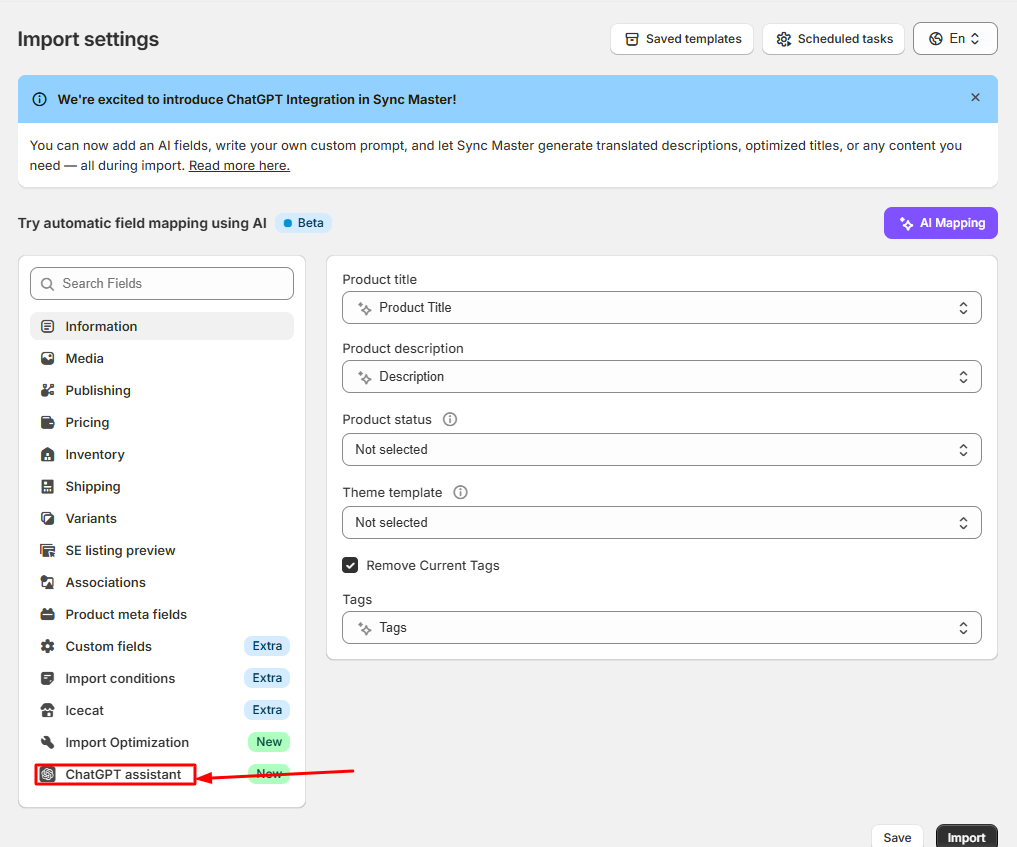
In the second step of the import, go to the «ChatGPT Assistance» tab:
Insert your «OpenAI API Key» into the «OpenAI Config» section & click on the «Check» button:
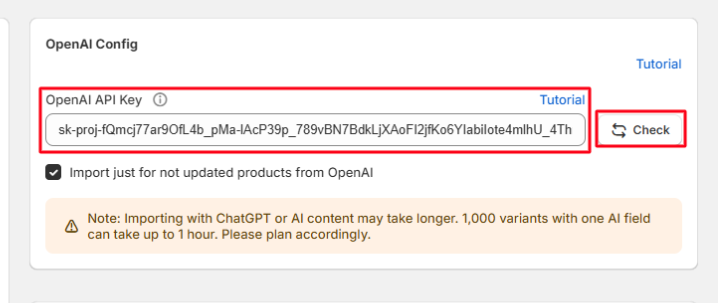
Where to get the API Key? Read this tutorial.
Create a new field:
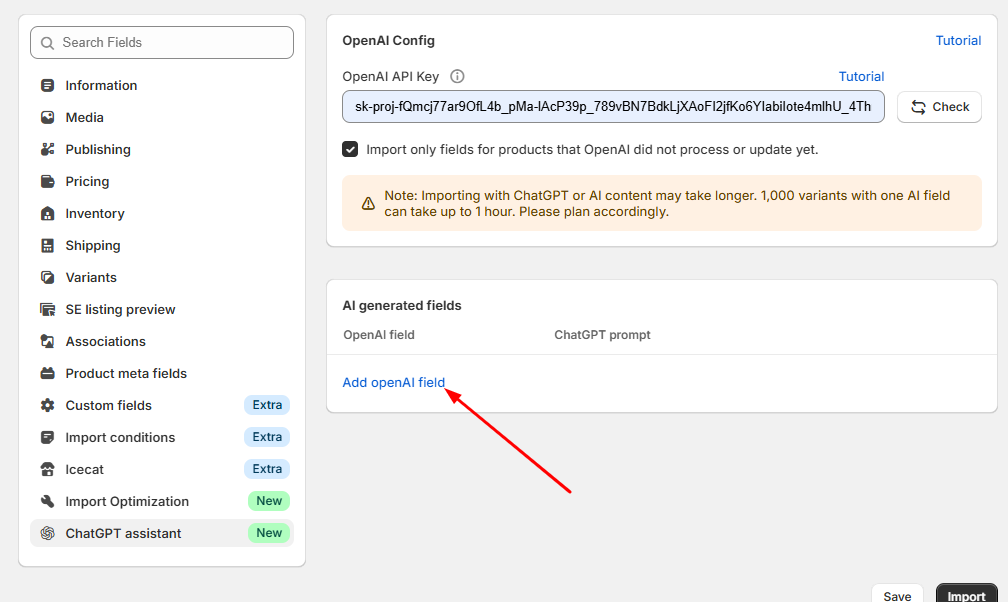
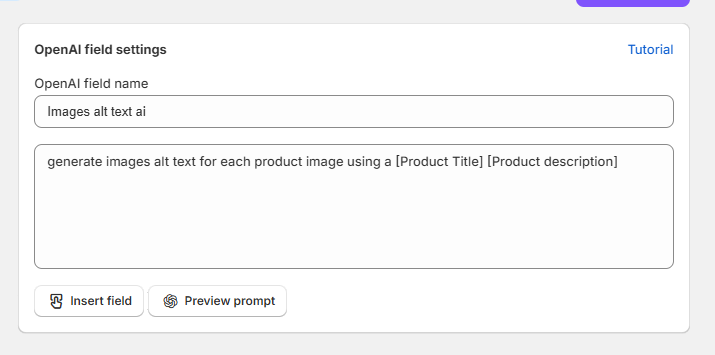
Enter the field name & type ChatGPT prompt according to your needs, for example, we write a prompt to generate image alt text by using the product name & product description: