

How to Generate and Import Product Tags Using ChatGPT Assistant
In this tutorial, we’ll show you how to automatically generate and import product tags using the ChatGPT Assistant in the Sync Master app.
This is especially useful when you have many products without tags or want to enrich your product catalog with more relevant, AI-generated tags.
Step 1: Upload Your File and Select Product Key
Complete the first import step — upload your file and select a product identification key (for example, product title, handle, or SKU).
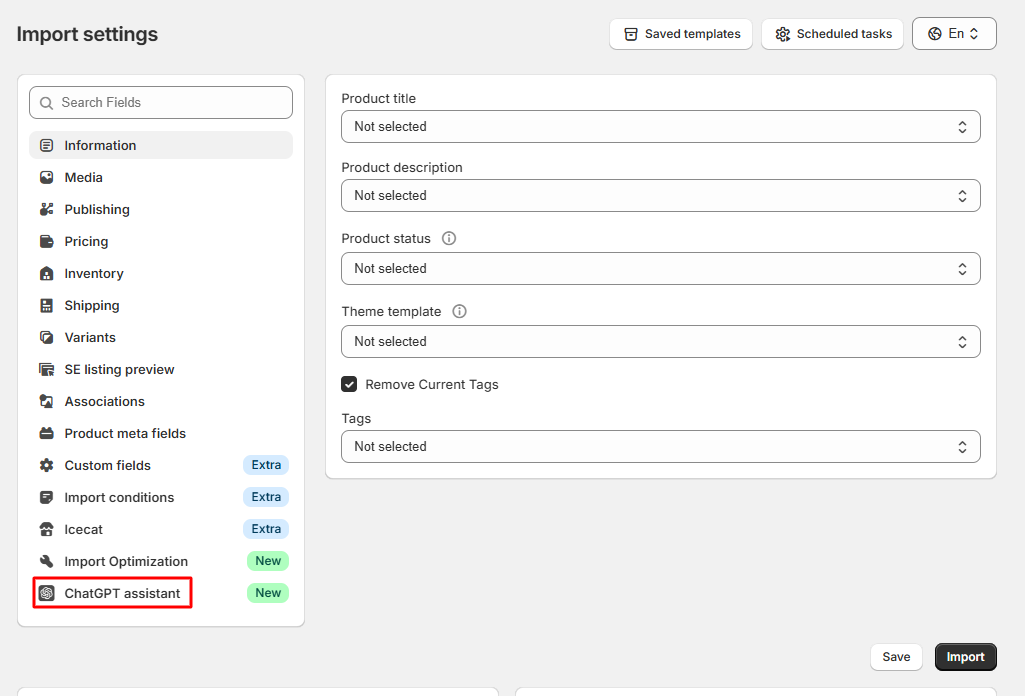
Step 2: Open the ChatGPT Assistance Tab
In the second import step, navigate to the «ChatGPT Assistance» tab:
Step 3: Enter Your OpenAI API Key
Paste your OpenAI API Key into the OpenAI Config section:
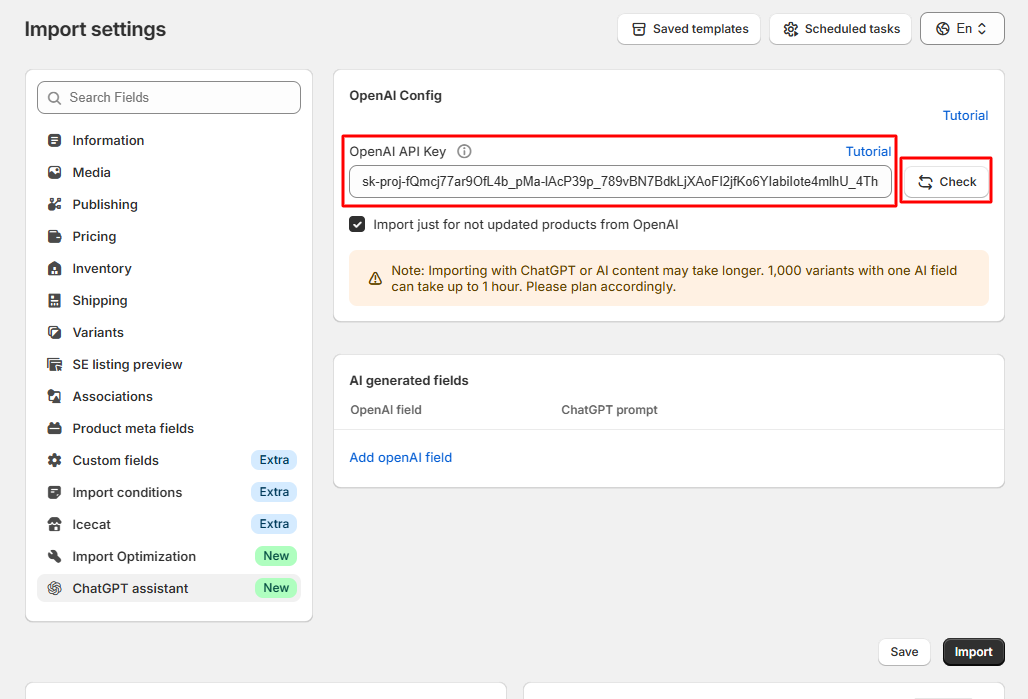
Need help getting your API key? Read this tutorial.
Step 4: Validate the API Key
Click the «Check» button to validate the API key:
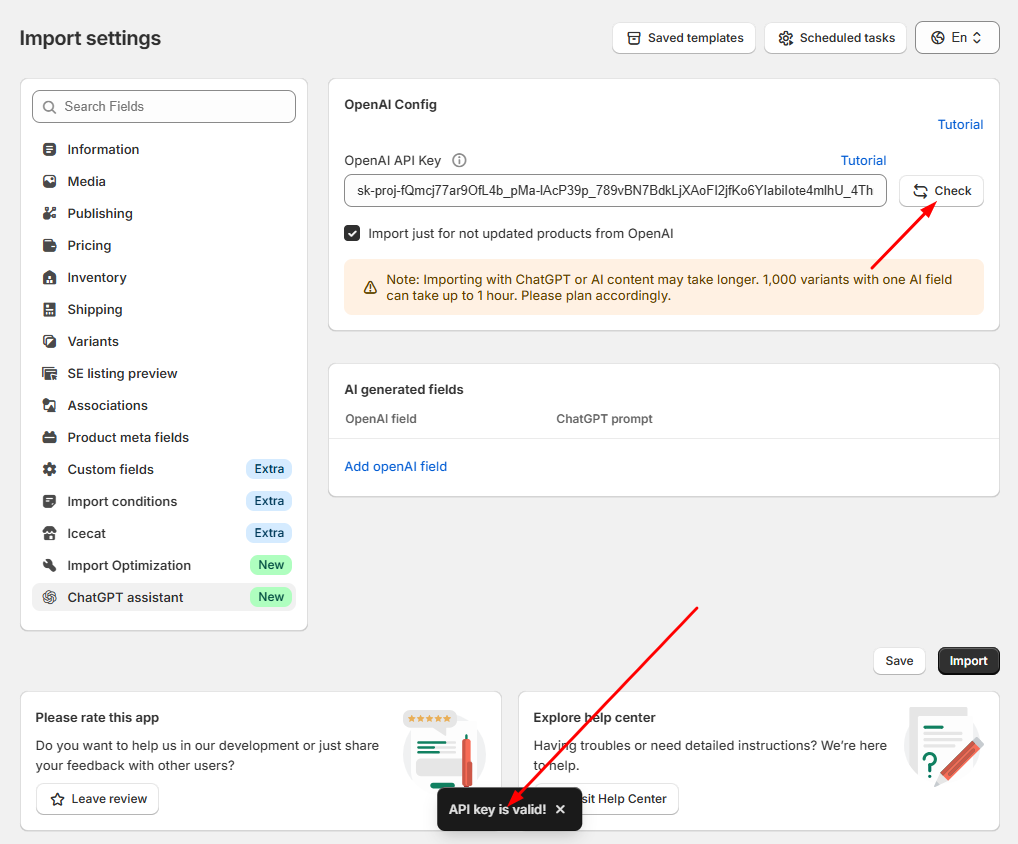
Step 5: Create a New Field for Tags
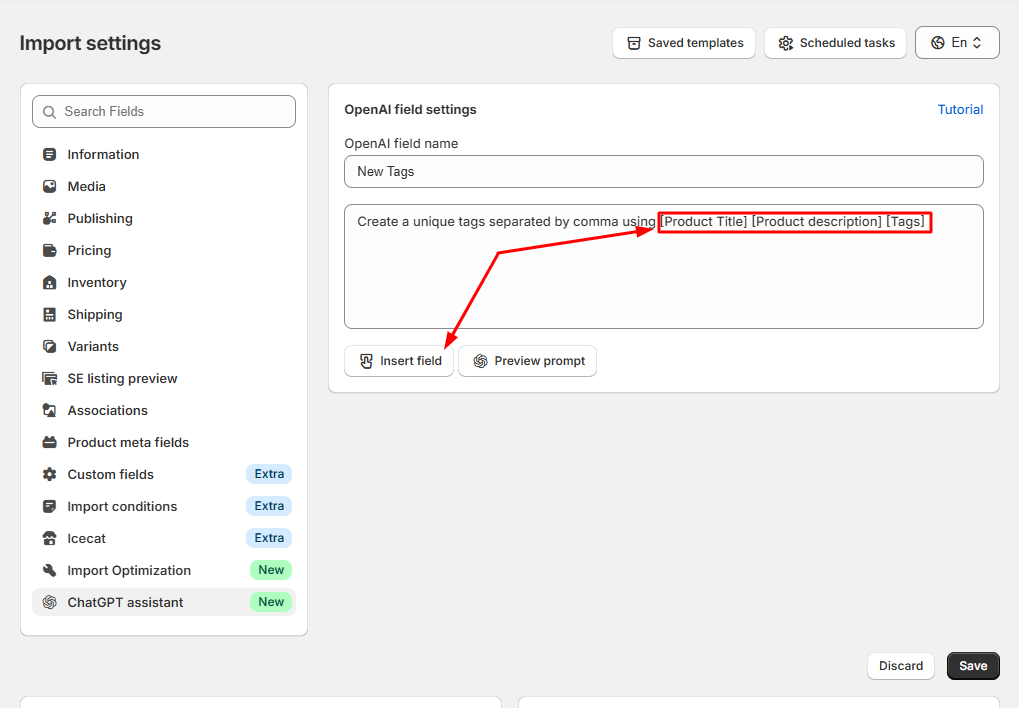
Create a new AI field — for example, “New Tags” — and write a prompt for ChatGPT that explains how to generate product tags.
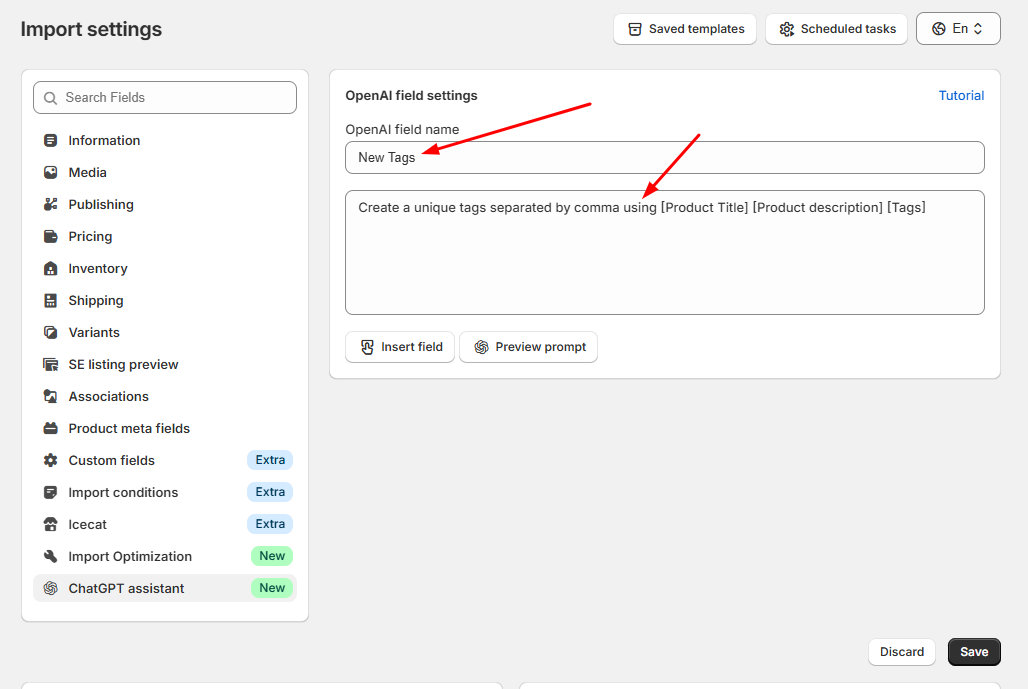
Step 6: Use Shortcodes from Your File
You can use shortcodes such as [product_title], [collections], or [description] from your file to help ChatGPT generate more relevant and context-aware tags automatically:
Step 7: Preview the Generated Tags
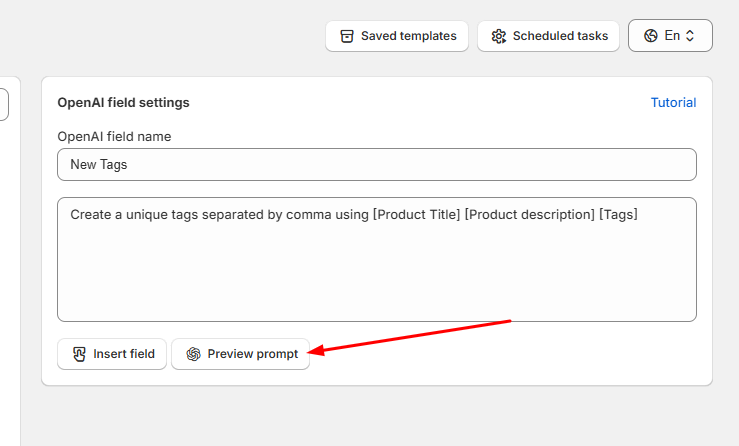
Click the preview icon next to your created field to see how ChatGPT generates tags:
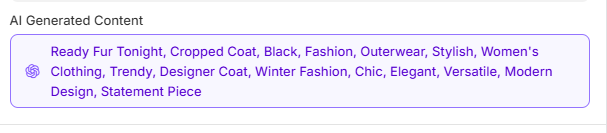
ChatGPT will generate tags according to your prompt:
Step 8: Save or Add More AI Fields
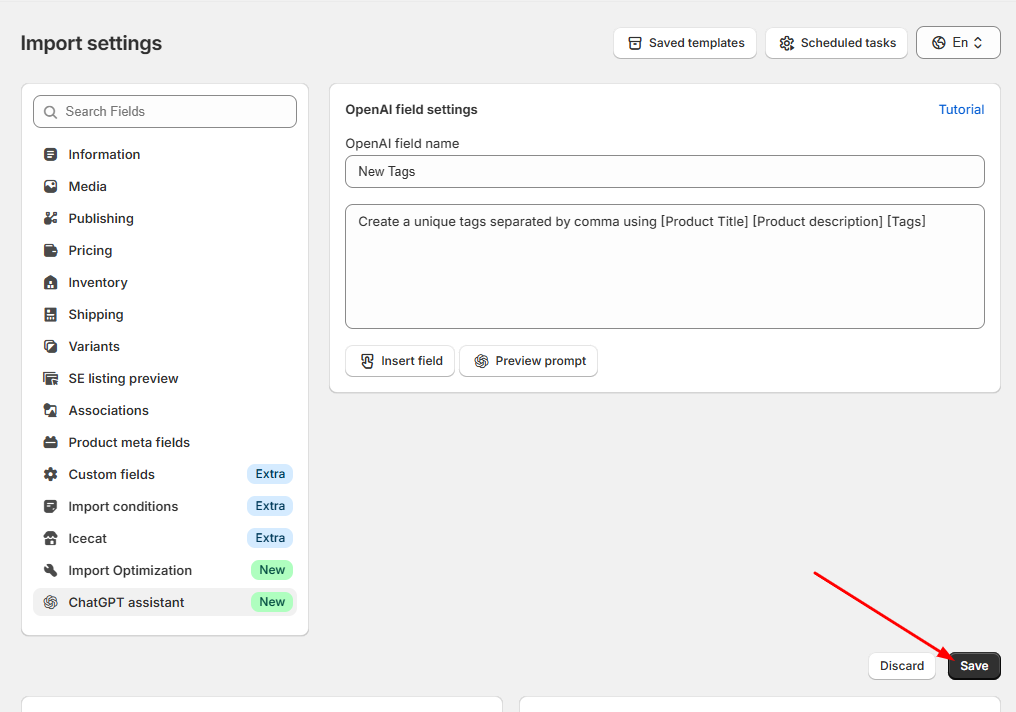
Click “Save AI Fields” or add another field using the corresponding button if you want to create more AI-based fields:
Step 9: Assign Generated Tags
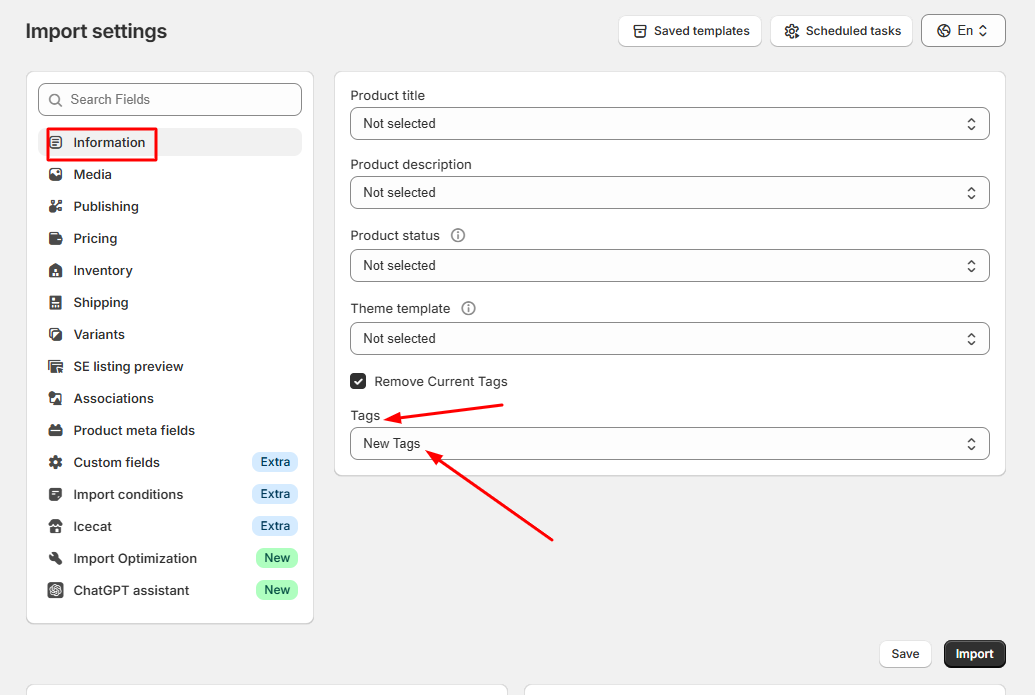
Navigate to the «Information» tab and select the “Tags” field you created earlier:
Step 10: Save or Import
Once everything is configured, you can save your template for future use or click «Import Now» to start importing AI-generated tags for your products.
That’s it! The Sync Master app will automatically generate and import intelligent product tags powered by ChatGPT.
