

How to Generate Product Meta-Title and Meta-Description During Export Using ChatGPT Assistant
With the ChatGPT Assistant in the Sync Master app, you can automatically generate Meta-Titles and Meta-Descriptions for your products during the export process — saving time and ensuring high-quality SEO metadata.
We previously described how to use the AI Assistant to generate Meta-fields during imports. You can find that tutorial here.
This feature is especially useful when you have a large catalog of products missing metadata or when you want to automatically create SEO-optimized titles and descriptions.
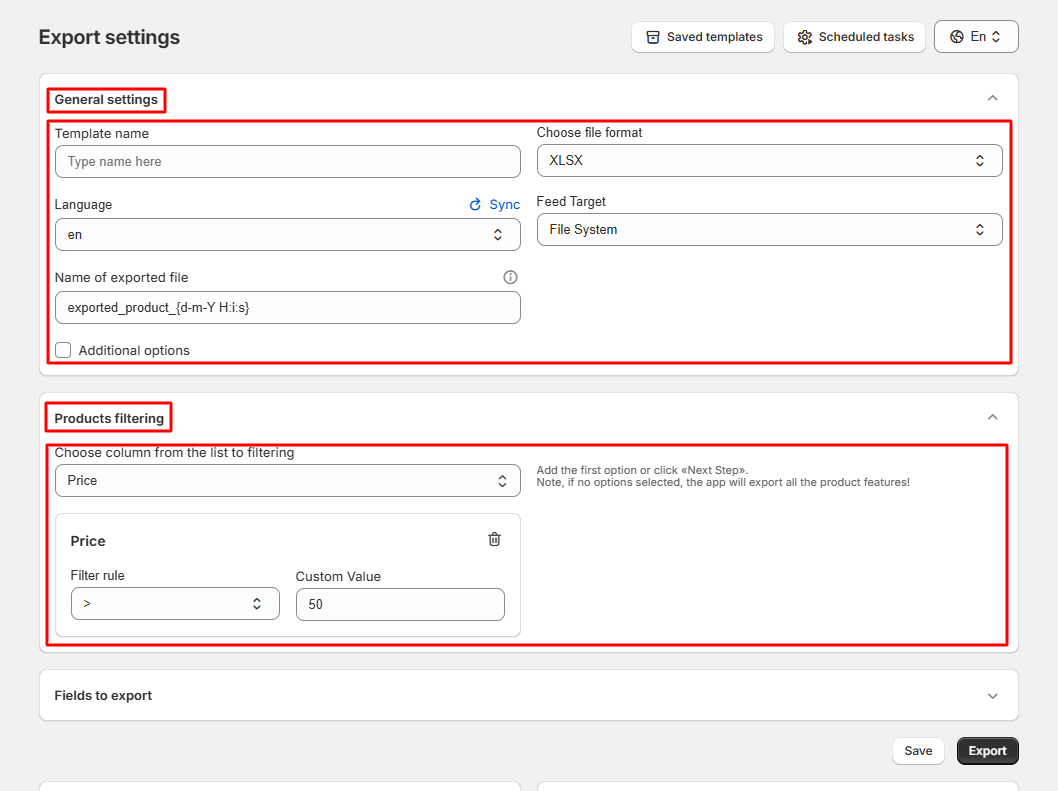
Step 1: Open the Export Section
Go to the «Export» section and configure your basic export settings:
Step 2: Select Fields for Export
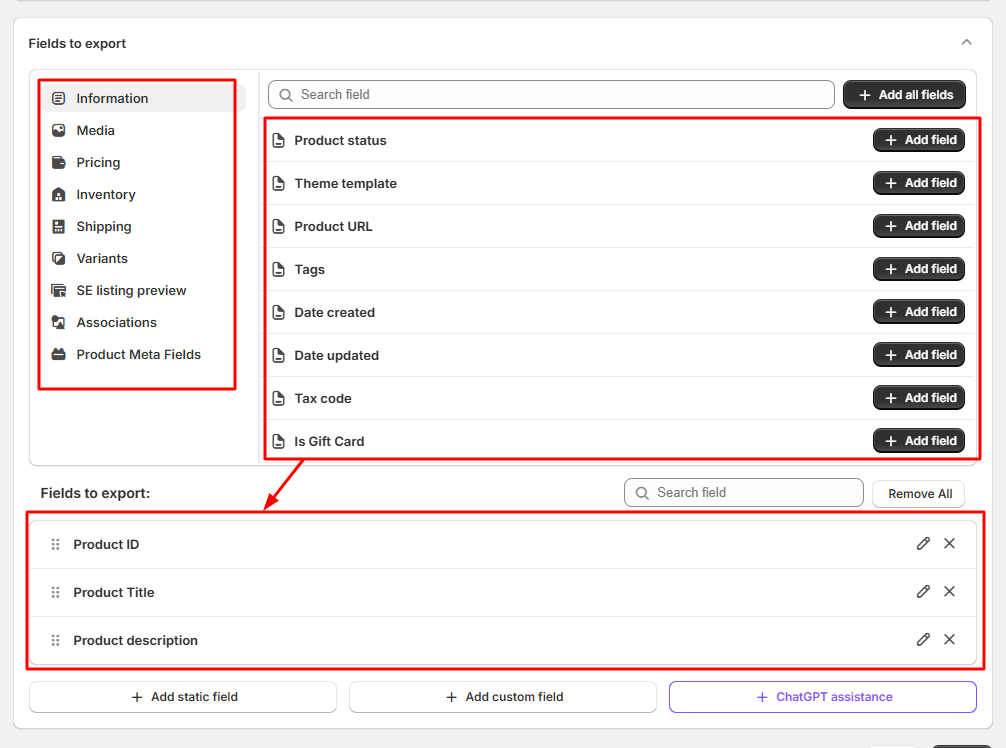
Select all the fields you want to include in your export file:
Step 3: Enable ChatGPT Assistance
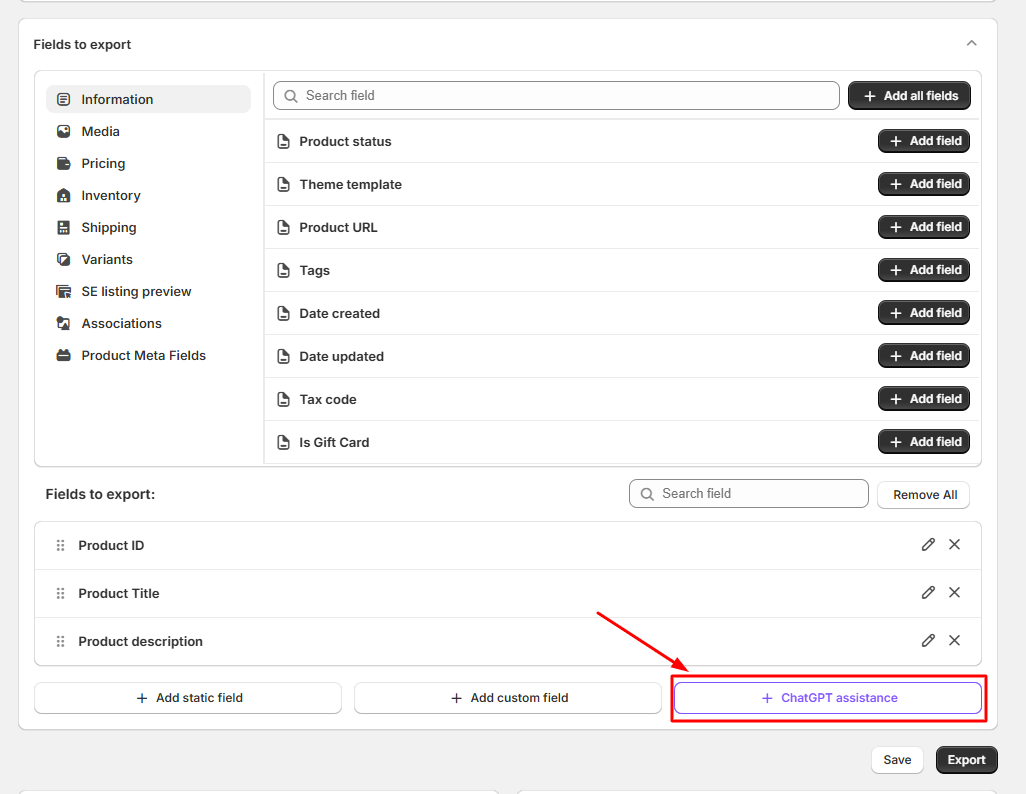
Click on the «ChatGPT Assistance» button to create a new AI-generated field in your export file:
Step 4: Add Your OpenAI API Key
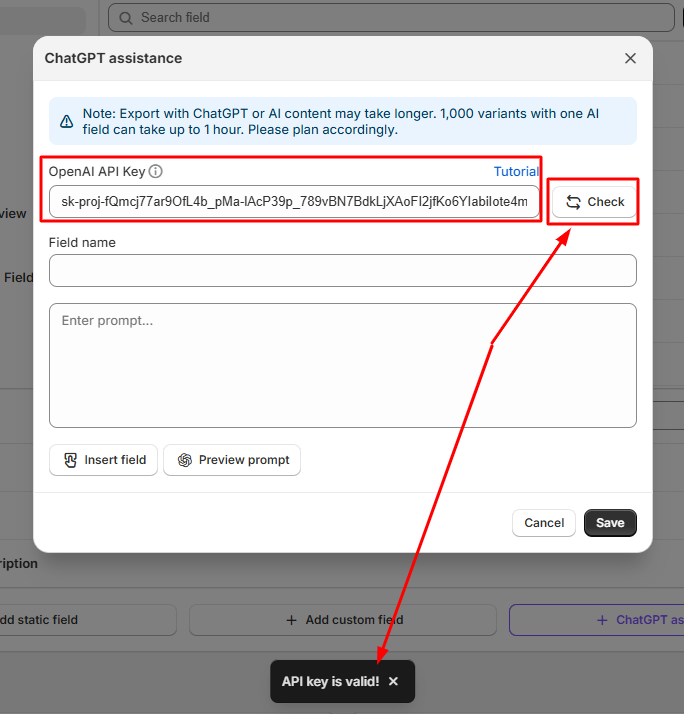
Insert your OpenAI API Key into the appropriate field and click the «Check» button to validate it.
If you don’t have an API key yet, follow this article to create one.
Step 5: Create AI Fields for Meta-Title and Meta-Description
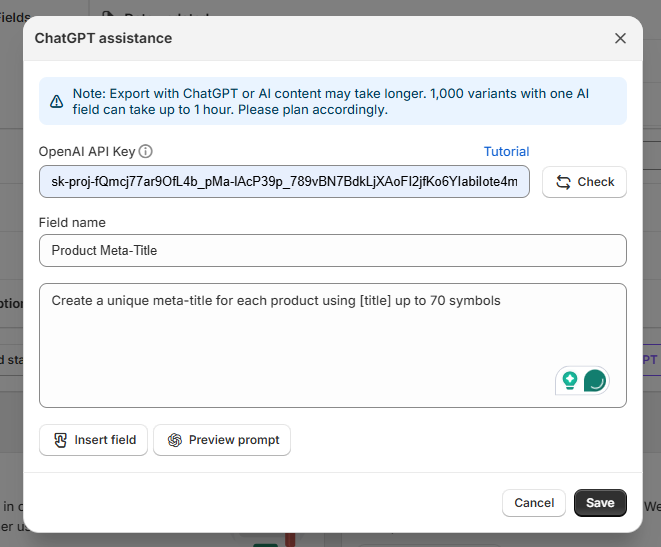
Enter the name of your new field (the one that will appear in the exported file) and write a prompt for ChatGPT to generate the Meta-Title or Meta-Description automatically:
Step 6: Use Shortcodes from Your File
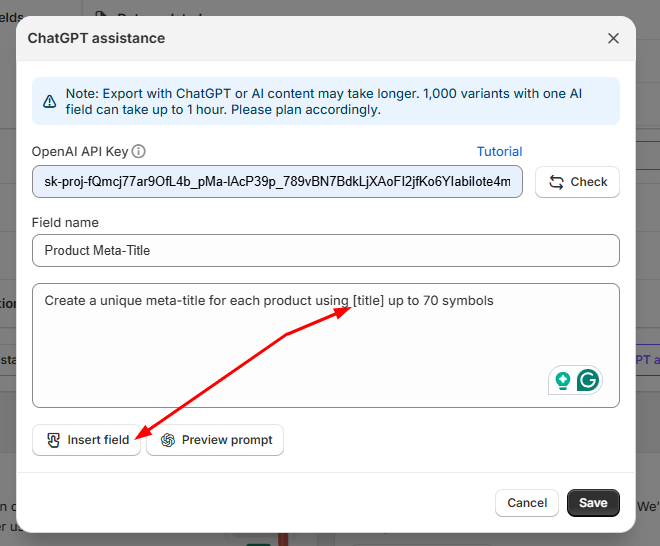
You can use shortcodes to dynamically include data from your export file. For example, to build more relevant SEO content, include shortcodes such as [product_title], [tags], [collections], or [description] directly in your prompt:
Step 7: Preview the Generated Results
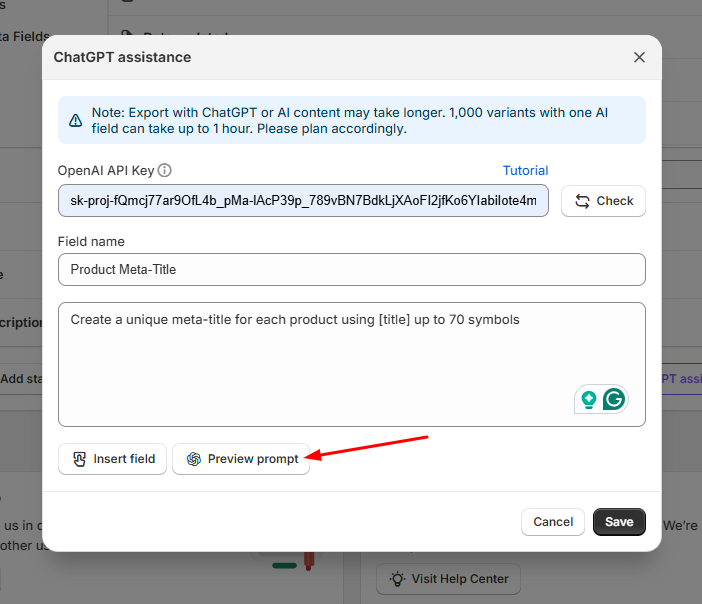
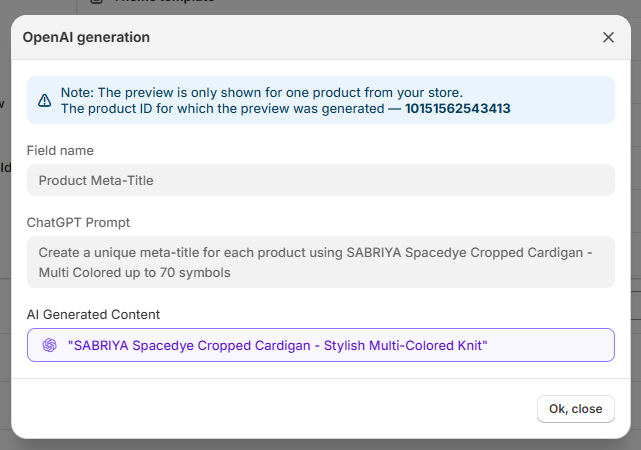
Click the preview icon next to your created field to test the prompt and see what ChatGPT will generate:
Step 8: Save and Run the Export
Once you’re satisfied with the AI output, save the created fields and click the «Export» button to start the process. Your exported file will include the automatically generated Meta-Title and Meta-Description columns for each product.
That’s it! The ChatGPT Assistant will generate optimized SEO metadata for your products during export, enhancing visibility and saving you time.
