

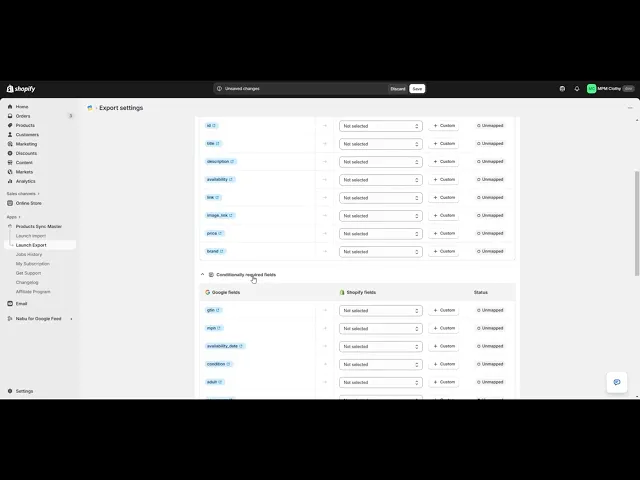
How to Export Products to Google Merchant Center Using the Sync Master App
The Products Sync Master app allows you to easily export your Shopify products directly to Google Merchant Center in the correct feed format.
Step 1: Create a New Export Template
Open the Export section and click the Launch Export button to create a new export template.
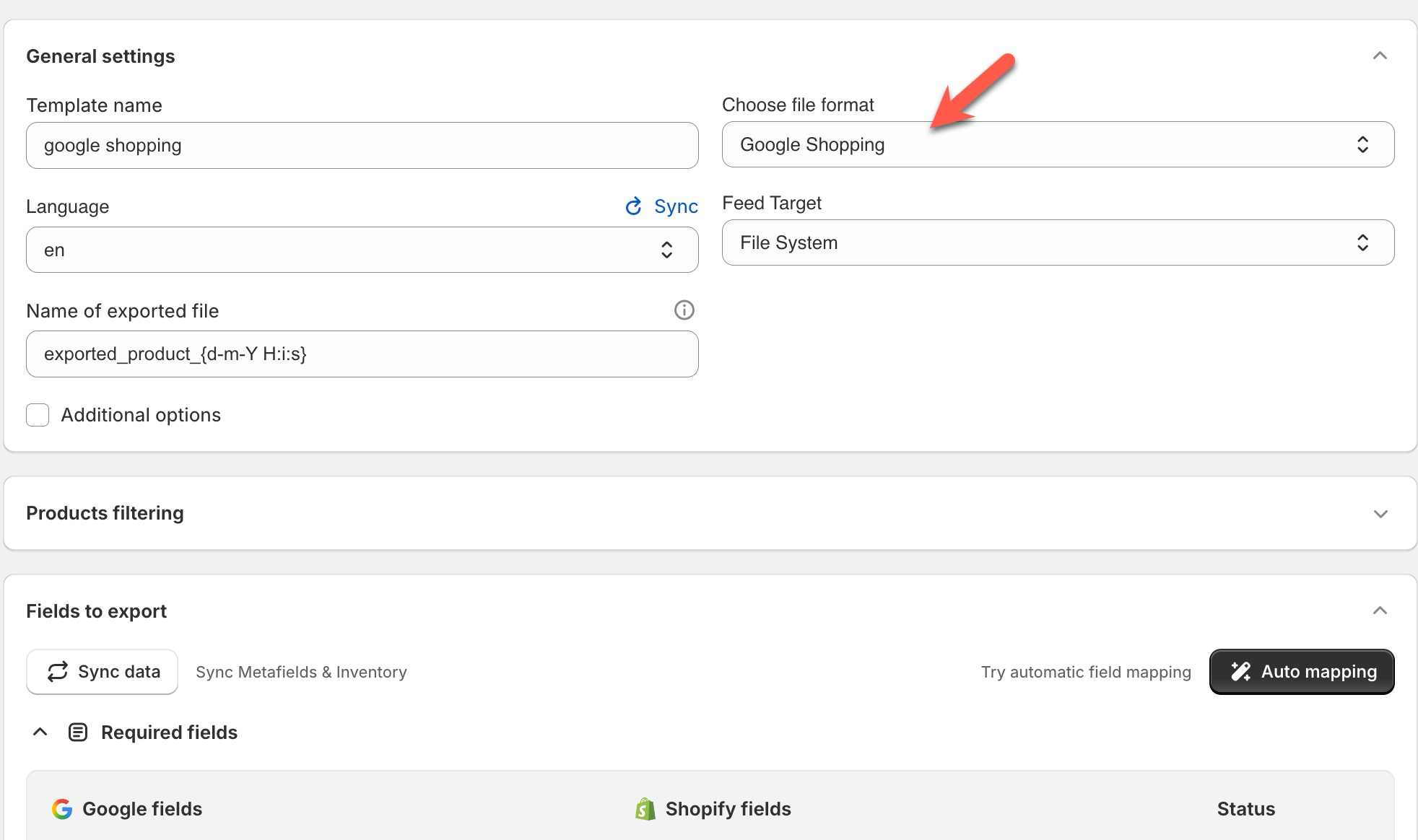
Set your template name and select the file format Google Shopping from the “Choose file format” dropdown.
Step 2: Filter Products for Export
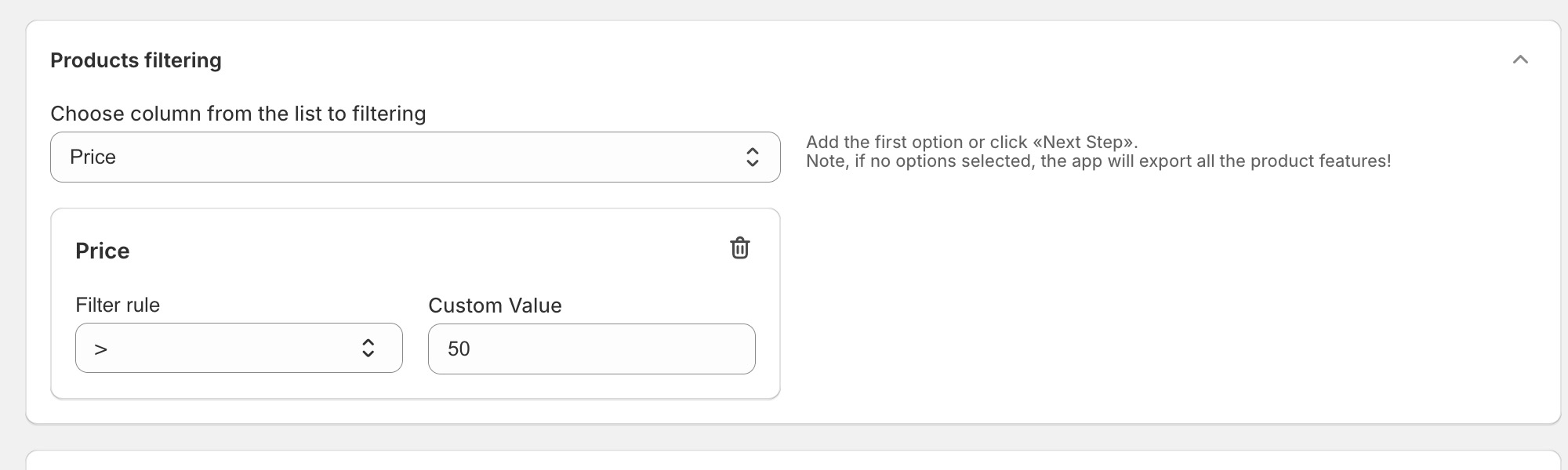
Next, choose which products you want to include in your Google Merchant Center feed. You can apply filters or leave the settings empty to export all products.
Step 3: Configure Google Shopping Fields
After choosing products, you will see three sections for field mapping required by Google Shopping:
- Required fields — must be selected for all exports.
- Conditionally required fields — depend on product attribute, categories or countries.
- Optional fields — can be added if you want to include additional information.
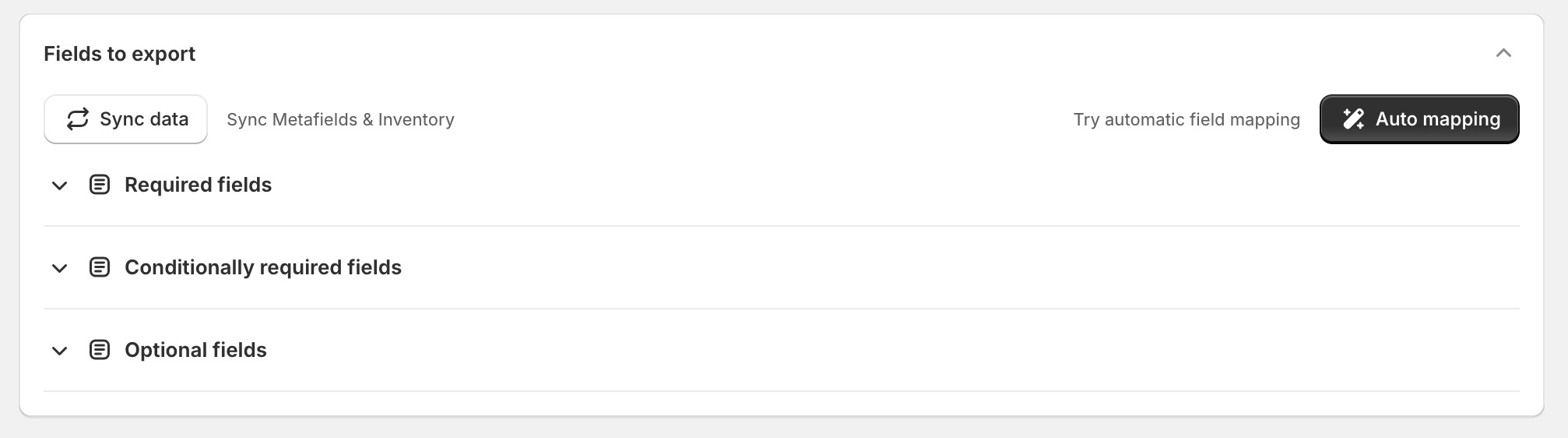
Make sure that all Required fields are mapped correctly before proceeding.
Step 4: Use the Auto Mapping Feature
The app includes an Auto Mapping button that automatically maps the most common Shopify product fields to their corresponding Google Shopping fields.
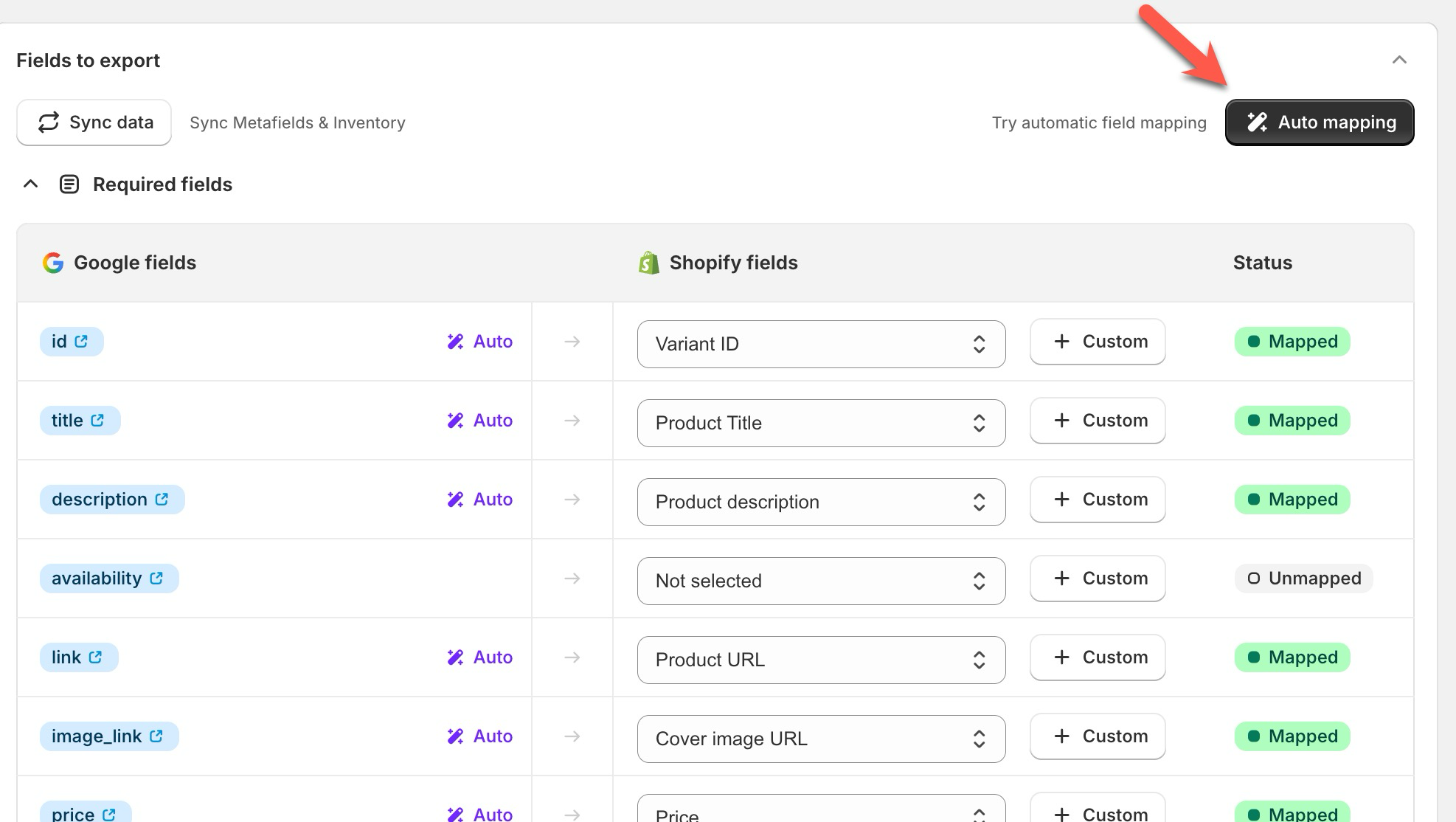
You can review and adjust the automatically mapped fields if necessary.
Step 5: Save Your Export Template & Copy the Feed URL
Once all fields are mapped, save your export template. After saving, you will see a public feed URL that provides access to the exported file.
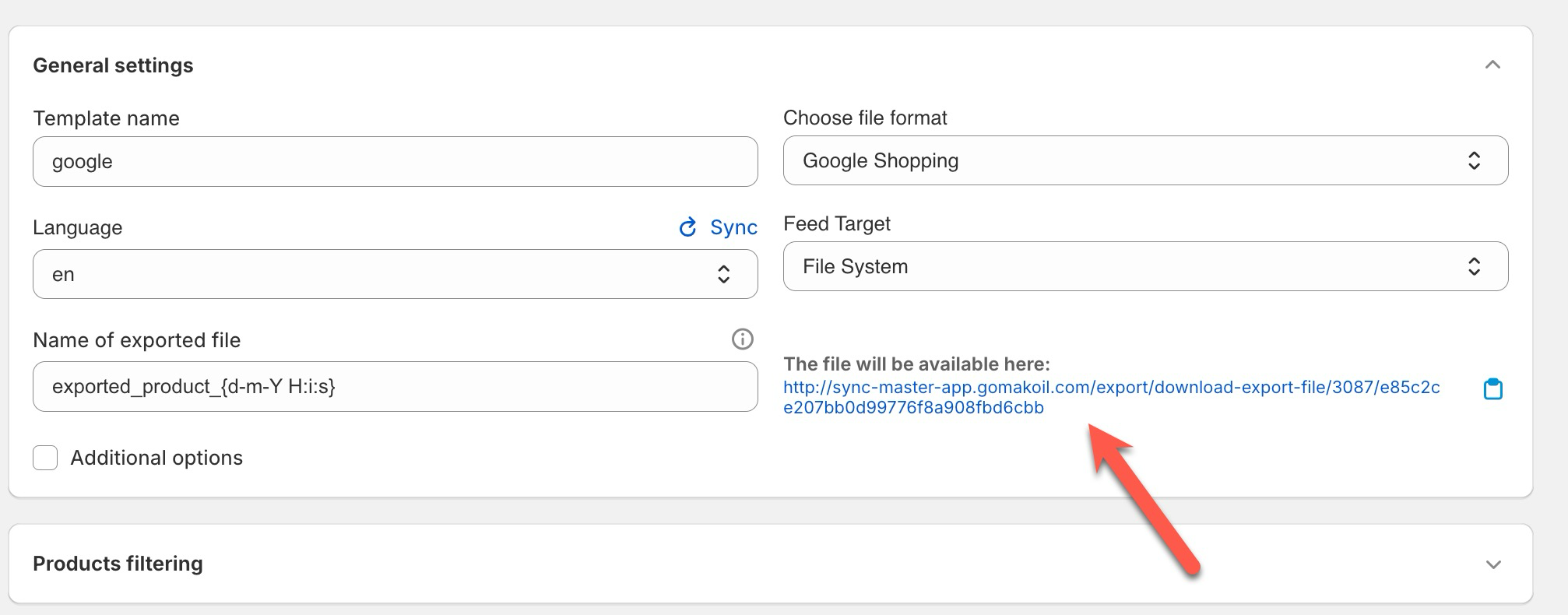
Step 6: Add the Feed URL to Google Merchant Center
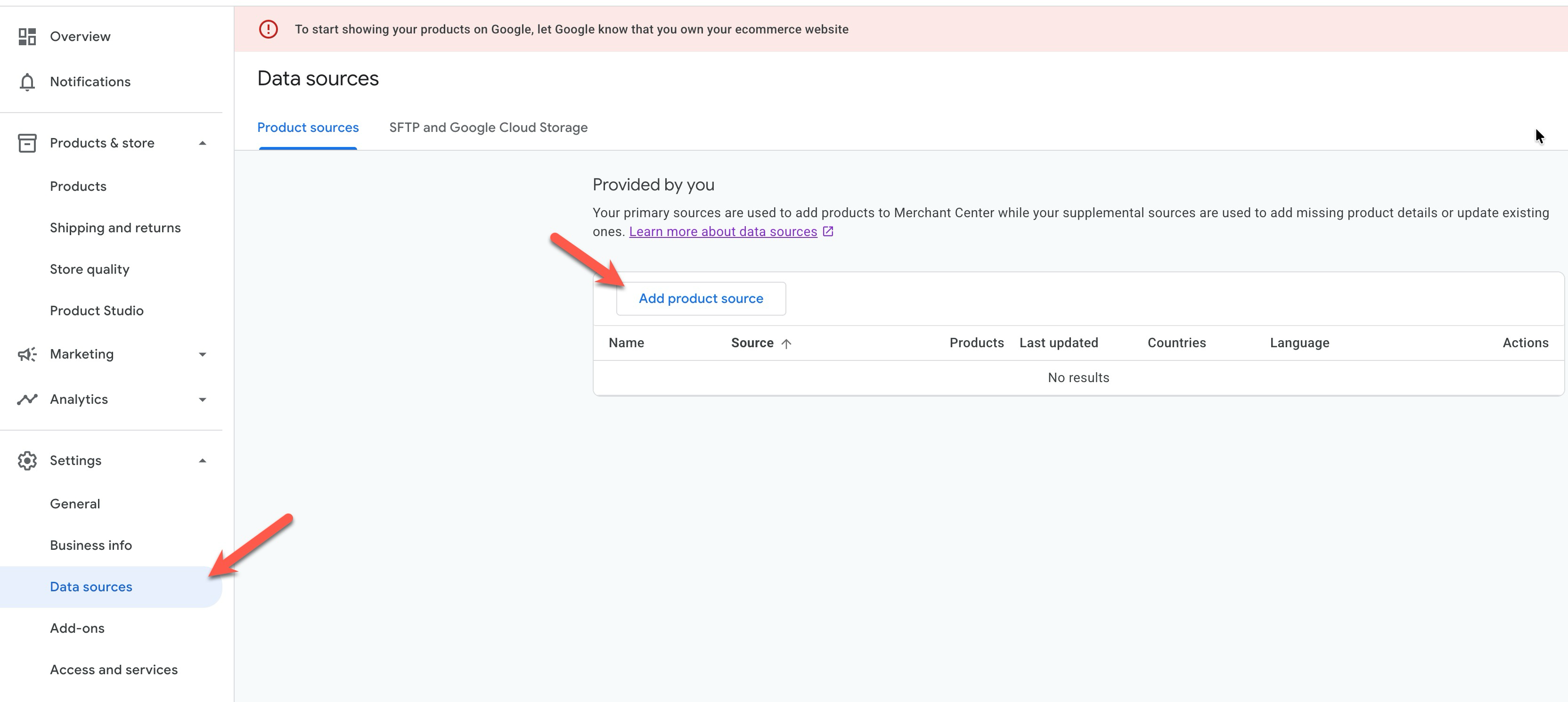
Now, log in to your Google Merchant Center account and go to the Data sources tab.
Click on the Add product source button:
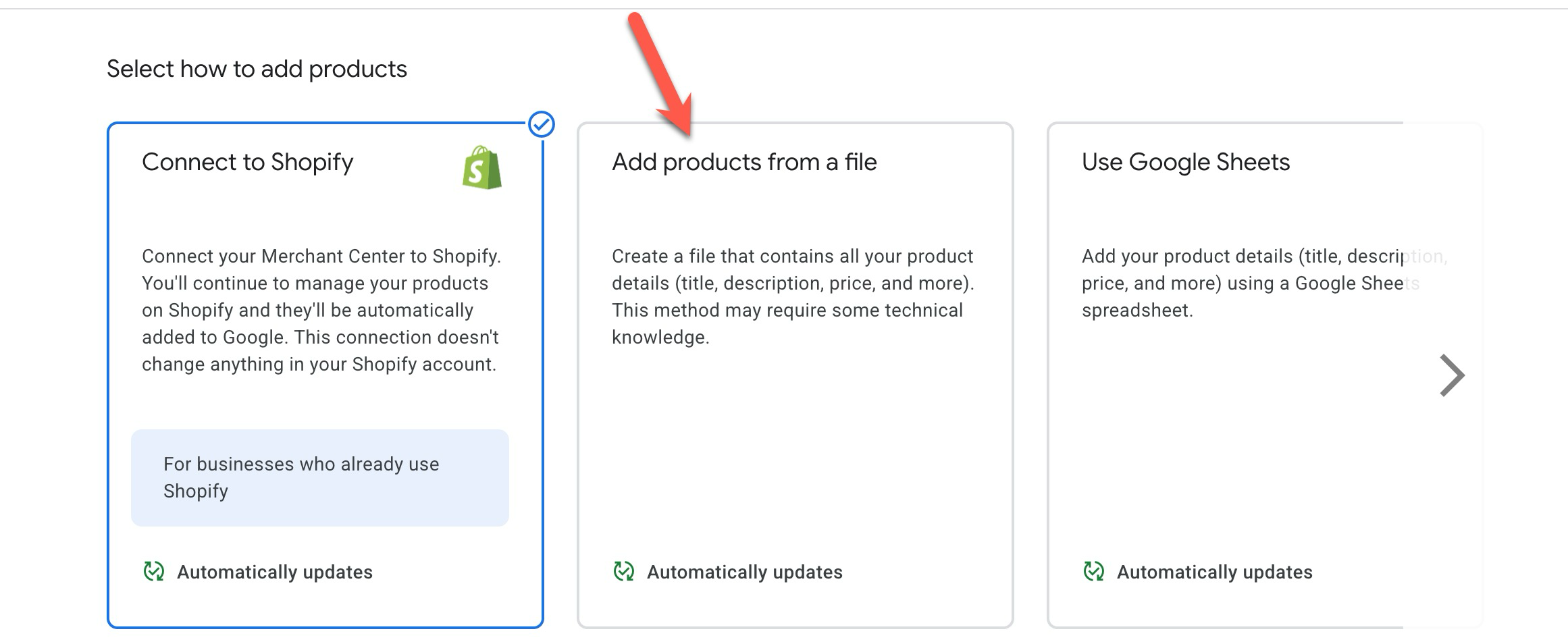
Then, select Add products from a file:
Paste the feed URL you copied from your Sync Master export template:
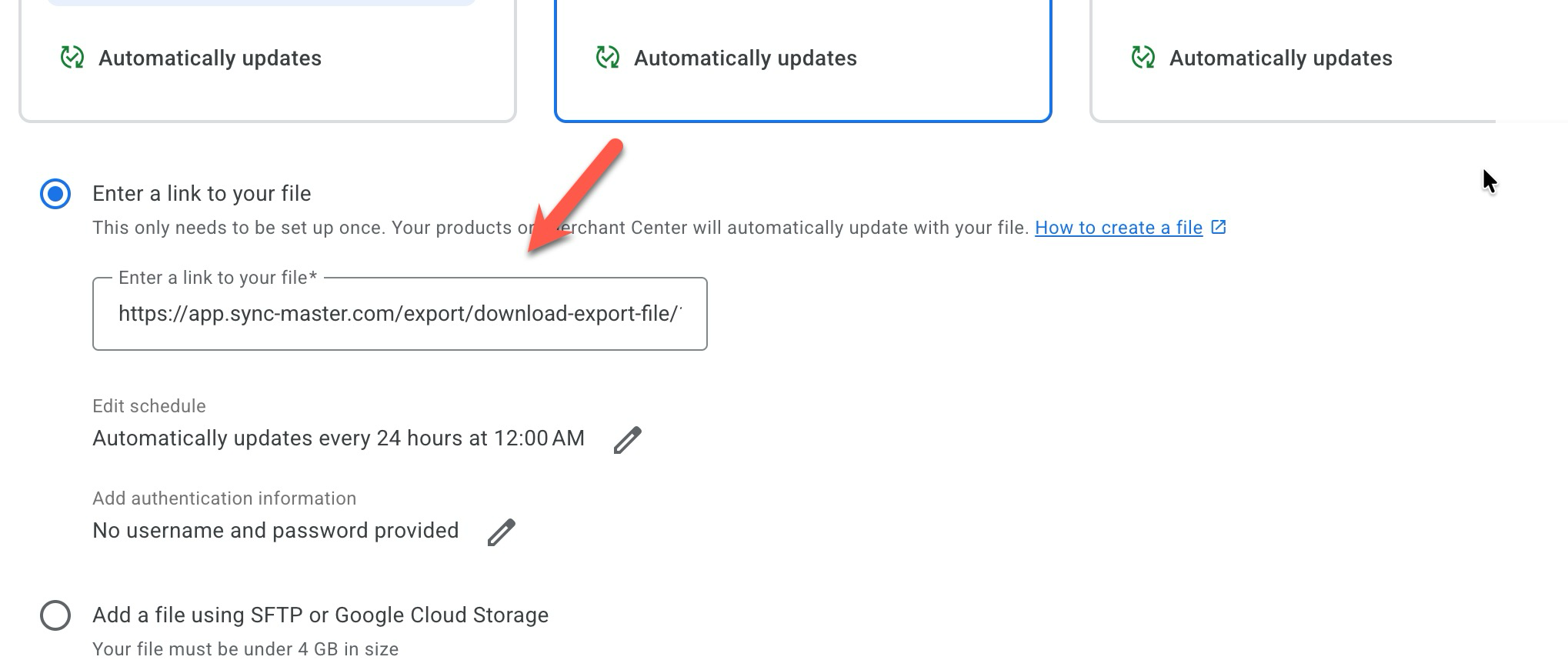
Click Continue to proceed.
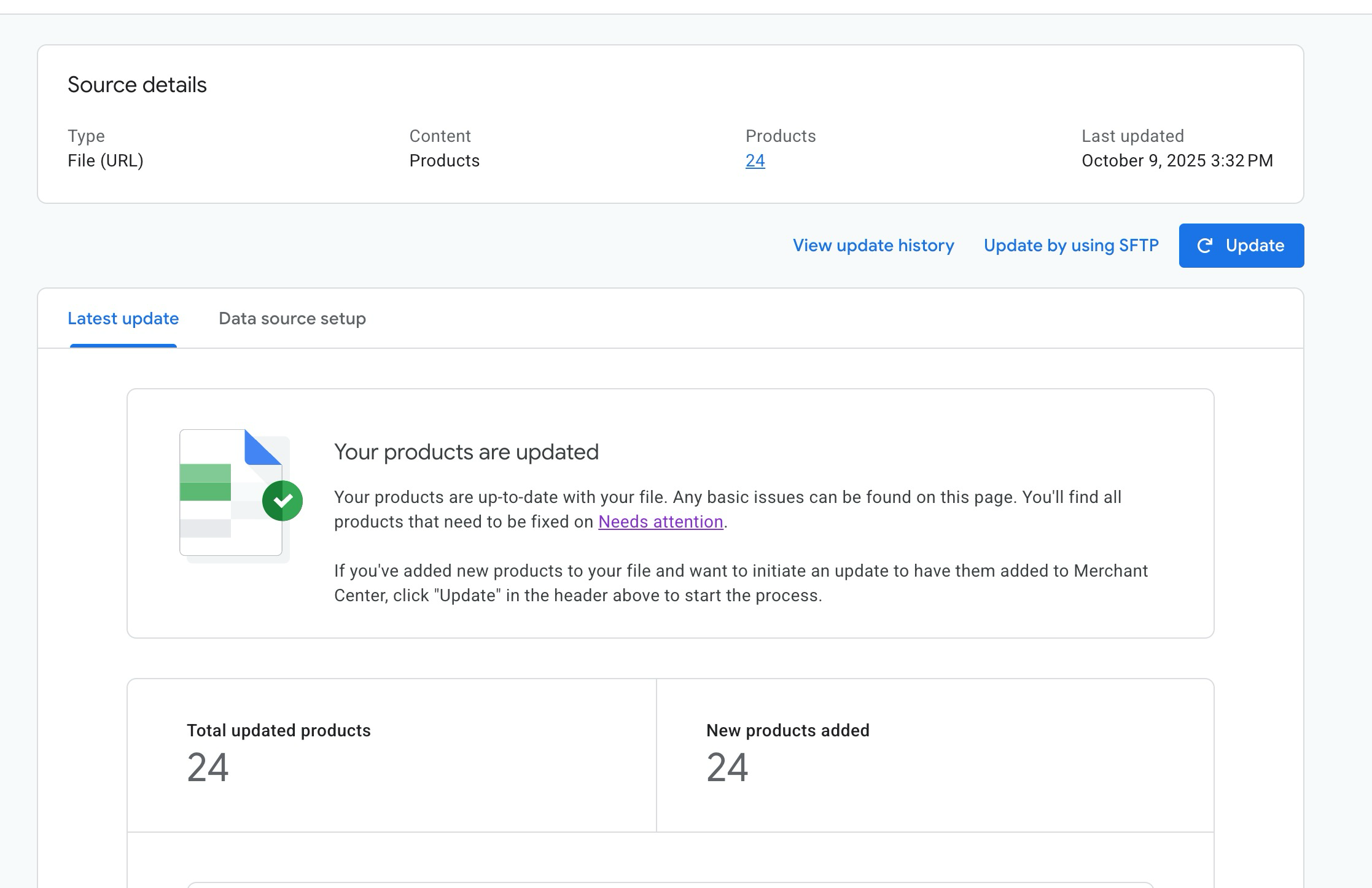
Your products will begin importing into Google Merchant Center:
Step 7: Schedule Automatic Daily Updates
To keep your Google Shopping feed up to date, you can schedule your export template to run automatically every day.
Follow this guide to set up scheduled exports: How to Configure Scheduled Tasks
That’s it! Your products are now successfully synced between Shopify and Google Merchant Center using the Sync Master app.
